

Why Does the Right Office Chair Matter for Spinal Support?
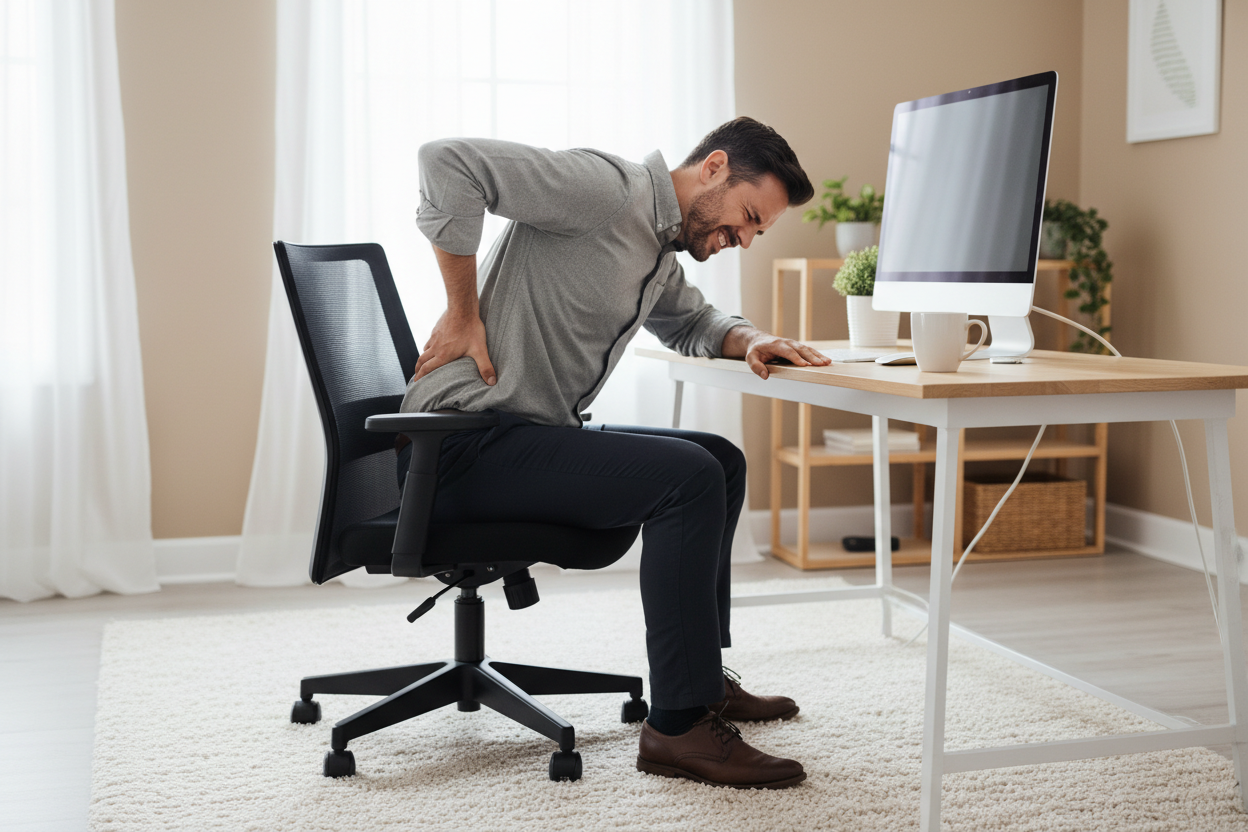
Spending hours each day sitting without proper support can take a toll on your spinal health, especially when you don’t maintain the right posture, as seen in the European Spine Journal (2006), Collegium Antropologicum (2018), Medicina (2020), and other research journals. It places immense stress on the lumbar (lower) and thoracic (mid/upper) regions. Over time, this static load increases pressure on your spinal discs and weakens your core muscles, potentially leading to chronic stiffness and persistent lower back pain.
On the other hand, studies like the one in Journal of Clinical Medicine (2025) show that ergonomic support can relieve cumulative spinal stress, keeping you from feeling sore and fatigued at the end of your workday. So, choosing the right desk chair goes beyond comfort; it’s an investment for your long-term well-being.
With this in mind, our article will guide you through everything you need to know, including the key features to look for in an ergonomic chair, a carefully curated list of the 10 best desk chairs for back pain, tips to set the chair up correctly, and more. Let’s get started!
 Image Source: Freepik
6 Key Features in an Ergonomic Desk Chair for Back Pain
It’s crucial to look for these key features if you want to choose the best desk chair for lower back pain:
1. Adjustable Lumbar Support and Headrest
A chair with adjustable lumbar support helps maintain the natural S-curve of your spine, reducing pressure on the lower back. A headrest complements this by supporting your neck and upper spine, reducing strain that can radiate from poor posture.
2. Dynamic Seat Depth and Height
Seat depth and height adjustments are essential for proper alignment. The right seat depth keeps your back against the backrest while leaving a small gap behind your knees, avoiding pressure that can lead to discomfort or circulation issues. Meanwhile, the right height promotes even weight distribution across your spine and hips.
3. Synchronous Tilt or Recline Functionality
Sitting in one rigid position for hours can easily cause stiffness. With synchronous tilt, the backrest and seat move together at a fixed ratio when you lean back. A basic reclining feature helps, too. Both open up your hip angle, shifting your body weight away from your lower spine and onto the backrest. This provides continuous support throughout your entire range of motion.
4. Multi-Dimensional Adjustable Armrests
Armrests do more than just rest your elbows; they support the weight of your upper body. So, if it is adjustable in height, width, and angle, it can prevent shoulder shrugging when you type or use a mouse. This will help prevent upper back tension and neck knots in the long run.
5. Breathable and Pressure-Relieving Seat
The material matters for long-term comfort. For instance, a mesh chair is highly breathable and keeps you cool, while PU or fabric chairs filled with high-density foam offer superior pressure relief by distributing your weight evenly across the seat.
6. Construction Quality and Durability
A chair’s frame, mechanisms, and materials determine both safety and longevity. High-quality construction ensures the chair maintains its support over years of daily use, protecting your spine and providing long-term value. Investing in a well-built chair prevents sagging, uneven support, and potential injuries from worn-out components.
Best Office Chairs for Bad Back: Our Top 10 Picks by Brand
Now that you know what features matter, let’s look at the best office chairs for back pain, according to online reviewers:
-
Best Price for Big and Tall: COMHOMA Big and Tall Office Chair with Pillow, Adjustable Armrest
-
Best Sustainable Option: Herman Miller Aeron
-
Most Space-Saving: Steelcase Gesture
-
Best Crossover for Gaming & Work: Secretlab TITAN Evo
-
Most Adaptive Backrest: Haworth Fern
-
Best Minimalist Design: Branch Ergonomic Chair Pro
-
Budget-Friendly Mesh Chair: Sihoo M18
-
Best Genuine Leather Choice: X-Chair X4
-
Great Foam Support: Vertagear SL5000
-
Most Innovative Lumbar Feature: Flexispot C7 Morpher
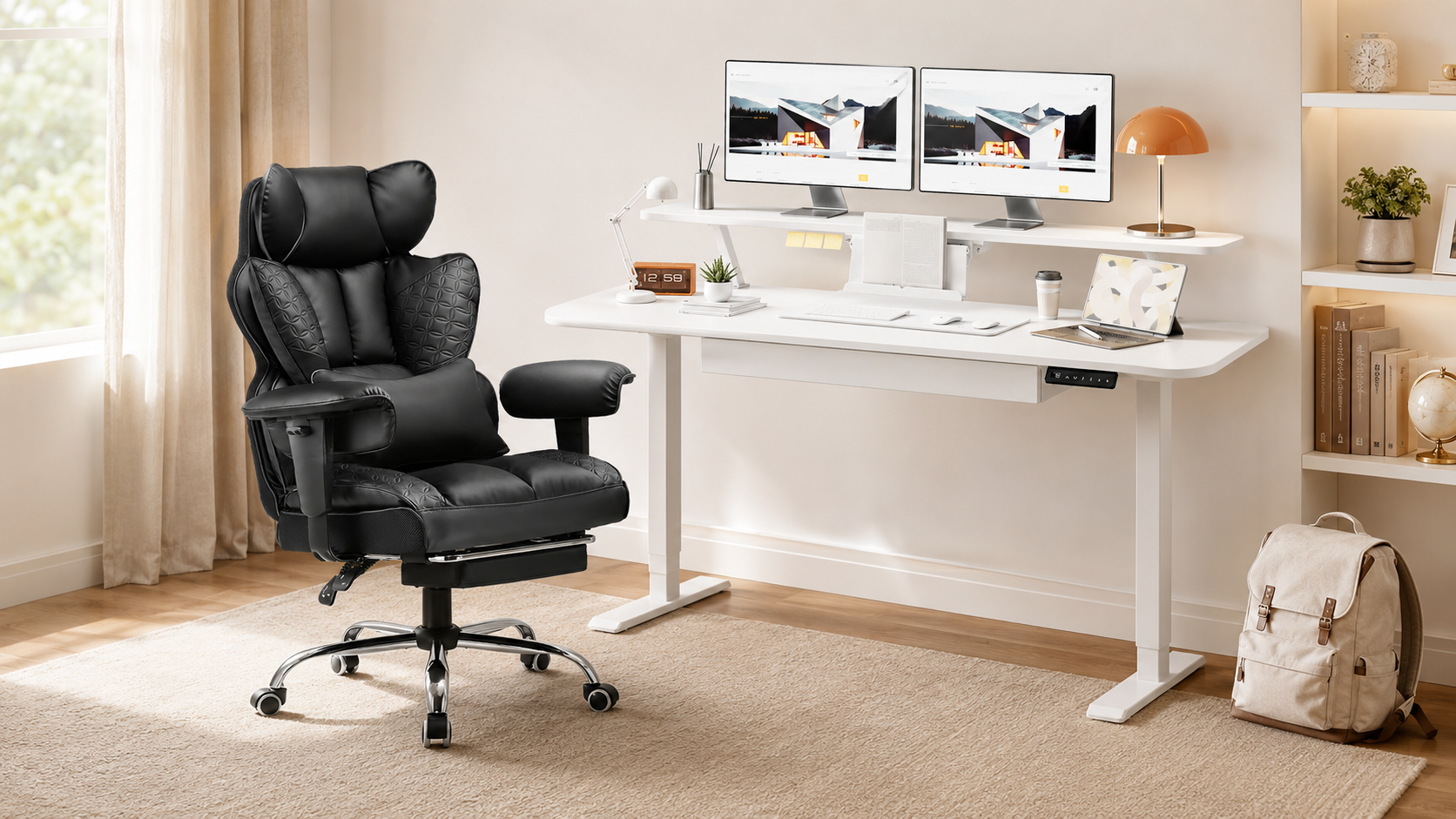
1. COMHOMA Big and Tall Office Chair with Pillow, Adjustable Armrest

Designed for the Big and Tall community, this chair moves away from the traditional thin-mesh design and incorporates a built-in pocket spring system within the seat and backrest, instead. These springs provide targeted support that adapts to your spinal movements, helping absorb pressure that would otherwise settle in your lower back.
Its extra-wide backrest and spacious 23.62-inch seat offer noticeably more room than most standard chairs, making it especially comfortable for larger users or anyone who prefers a sofa-like sitting experience without compromising proper posture. It also comes with height-adjustable armrests, a 90°-150° reclining backrest, and an integrated footrest, so you can shift positions throughout the day.
What’s more, the SGS-certified class 3 gas lift, heavy-duty metal base, and scratch-free PU caster help the chair last longer. In terms of design, the hand-stitched details on its wingback add a sophisticated look. You can even choose between easy-to-clean PU leather and breathable fabric, as well as different colors to suit your taste.
The downside? You have to assemble the chair on your own, though most buyers find the process simple and finish within 30 minutes. The big and tall seat also has a bigger footprint. You might have to consider other models, like the mesh office chair, instead if you have a smaller space.
-
Price: $179-219
-
Dimension: 45.1"H x 23.62"W x 19.68" D
-
Weight: 44 lbs
-
Max. Capacity: 400 lbs, suitable for users 5’1”–6’7” tall
-
Seat Material: PU leather with memory foam fill
-
Warranty: 1 year
-
Pros: SGS-certified, heavy-duty support, high adjustability, great durability, modern style, wide options, cheap for a multi-feature chair
-
Cons: Minor assembly required, takes up a bit more space
2. Herman Miller Aeron
The Herman Miller Aeron makes the list for being the most sustainable option. It is made with over 50% recycled materials, including ocean-bound plastic. In terms of design, it features the PostureFit SL system, which provides dual-surface support for both the sacrum (base of the spine) and the lumbar region. Its balanced Harmonic 2 Tilt encourages natural movement while reducing pressure on the lower back. Instead of traditional foam, the Aeron uses 8Z Pellicle mesh, which has eight distinct tension zones to cradle your body and distribute weight evenly.
Beyond spinal support, Aeron offers fully adjustable features including seat depth, armrests, tilt, and lumbar firmness, accommodating a wide range of body types across its three sizes (A, B, and C). Still, the Herman Miller Aeron is one of the most expensive options on the market. Plus, some users think the relatively rigid seating feels restrictive and less comfortable.
-
Price: $1,400 - $2,465 (Depends on size)
-
Dimension: 38.5” H x 25.75” W x 16” D for Small, 41” H x 27” W x 16.75” D for Medium, or 43” H x 28.25” W x 18.5” D for Large (The width here refers to the chair’s maximum overall width from end to end.)
-
Weight: 40lbs - 43lbs
-
Max. Capacity: 300lbs - 350lbs
-
Seat Material: 8Z Pellicle elastomeric with PU foam fill
-
Warranty: 12 years
-
Pros: Excellent ergonomic support, highly adjustable, wide size options, sustainable
-
Cons: High price point, seating may feel restrictive
3. Steelcase Gesture
The Steelcase Gesture is one of the more compact chairs in our list. Its standout feature for back relief is the 3D LiveBack® technology, which allows the backrest to adapt to your spine’s motion as you shift positions. It also has a Core Equalizer that automatically adjusts lumbar support based on your recline angle.
Another major benefit is the 360-degree adjustable armrests, which move in nearly every direction to support your arms when typing, using a mouse, or working across multiple devices. What’s more, the controls are quite intuitive, as all adjustment knobs are conveniently located on one side of the chair.
While the chair’s warranty spans a long time, some reviewers mentioned that customer service can be slow when responding to delivery defects or replacement parts. The price is quite high, too, so it may not fit every budget.
-
Price: $1,484
-
Dimension: Minimum 39.25" x 22.37" W x 21" D (slightly varies by configuration)
-
Weight: 58 lbs
-
Max. Capacity: 400 lbs
-
Seat Material: Customizable
-
Warranty: 12 years
-
Pros: High versatility, easy adjustment, high weight capacity
-
Cons: Potentially slow customer service response, high price point
4. Secretlab TITAN Evo
The Secretlab TITAN Evo is designed for work-play hybrid spaces. It has a 4-way L-ADAPT™ Lumbar Support system. Using two side dials, you can adjust both the height and the inward curvature of the lumbar section to fit your spine's unique S-curve.
The chair even features a seat base made of patent-pending cold-cure foam, specifically engineered to be medium-firm. This means it is plush enough to feel comfy but still provides consistent support.
Nevertheless, you have to do some minor assembly before use, though it comes with clear, easy-to-follow instructions. Also, the racing-style design may not be for everyone, especially if you are looking for something more traditional and minimalist.
-
Price: $669
-
Dimension: 51.2"H x 21" W x 20.1"D (Regular)
-
Weight: 75.9 lbs
-
Max. Capacity: 285 lbs
-
Seat Material: Leather with cold-cure foam fill
-
Warranty: 3 years and extendable to 5 years total
-
Pros: Unique adjustable lumbar support, comfortable seat
-
Cons: Minor assembly required, racing-style design may not suit everyone
5. Haworth Fern
The Haworth Fern is crowned for having the most adaptive backrest. Its Wave Suspension backrest is modeled after the structure of a fern leaf. Its internal "stem and fronds" allow provide independent, calibrated support to different parts of your spine, eliminating hard pressure points to cradle your back in different positions.
Moreover, Haworth offers plenty of customization options. For instance, you can decide whether you want lumbar support or forward tilt, and choose the type of armrests, casters, and finish material you like. The chair is even GREENGUARD-certified due to the use of eco-friendly materials.
The potential drawback is its seat, as some users think it doesn’t have enough padding, causing it to feel a bit hard. The chair is also more expensive than most.
-
Price: Starting at $1,242 (depends on customization)
-
Dimension: 45" H x 19.9" W x 28.5" D
-
Weight: 55 lbs
-
Max. Capacity: 325 lbs
-
Seat Material: Customizable
-
Warranty: 12 years
-
Pros: Flexible backrest, wide customization options, GREENGUARD-certified sustainable material
-
Cons: Potentially hard seat, higher price point
6. Branch Ergonomic Chair Pro
The Branch Ergonomic Chair Pro has a sleek, minimalist design. It features a cushioned, two-way adjustable lumbar system. Its lumbar pad can be adjusted for both height and depth, allowing you to decide the exact amount of pressure needed to support your lower back.
Additionally, it has a forward tilt feature for you to shift 5° downward, reducing pressure when you lean in. The 5D armrests also pivot and shift to prevent shoulder strain, among other adjustable parts.
While the price and simple style make it attractive for most office workers, it is important to note that some users with larger physiques find the padding slightly thin, as they can feel the hard base frame after several hours of sitting. The lumbar support may feel too soft for certain body types as well.
-
Price: $499
-
Dimension: 38” H x 19” W x 24” D
-
Weight: 42 lbs
-
Max. Capacity: 275 lbs
-
Seat Material: Mesh/leather/vegan leather with foam fill
-
Warranty: 7 years
-
Pros: Highly adjustable, minimalist design, fairly affordable for a multi-feature chair
-
Cons: Potentially thin seat padding and softer lumbar support
7. Sihoo M18
The Sihoo M18’s dual-adjustable lumbar can be moved vertically and horizontally to cradle the lower back. The breathable mesh back encourages airflow to keep you cool, while the W-shaped sponge cushion adds softness. The reclining angle of up to 126° and a movable headrest offer more comfort as well.
Although it offers impressive ergonomics for this price, some users find the lumbar support too firm, especially if they lack back muscle. Besides, a few users realize some minor squeaks in the chair after some time.
-
Price: $289.99
-
Dimension: 51.2" H x 28" W x 28" D
-
Weight: 37.1 lbs
-
Max. Capacity: 330 lbs
-
Seat Material: Mesh (fill material not provided on the official website)
-
Warranty: 3 years
-
Pros: Comfortable seat, cheap for a multi-feature chair
-
Cons: Lumbar support may be too firm, and the chair might begin squeaking over time
8. X-Chair X4
Wrapped in genuine Italian leather, the X4 offers a premium, sophisticated look. Its hallmark feature is the patented Dynamic Variable Lumbar (DVL)® support, which pivots intuitively as you shift, ensuring your lower back is supported without any effort on your part. This is paired with SciFloat Infinite Recline, which promotes fluid movement throughout the day.
Then again, some users think the leather feels rigid at first and needs time to soften. Furthermore, while X-Chair offers high-tech add-ons like the Elemax heating and massage unit, customer feedback is mixed, with several reviews suggesting these features are underwhelming or prone to technical failure.
-
Price: $1,349
-
Dimension: 58.37” H x 29” W x 27.25” D
-
Weight: 56.5 lbs
-
Max. Capacity: 275 lbs
-
Seat Material: Leather with foam/memory foam fill
-
Warranty: 15 years
-
Pros: Supportive in various positions, genuine leather with a sophisticated look
-
Cons: Potentially rigid at first, add-on tech features may not meet expectations, higher price point
9. Vertagear SL5000
The Vertagear SL5000 is made with Ultra Premium High Resilience (UPHR) Foam, which is 62% denser than the industry standard. This base prevents the chair from deforming over time. It also includes removable memory foam cushions for both the neck and lumbar regions, allowing you to manually position padding exactly where your spine needs extra relief.
However, the SL5000’s rigid racing seat design has received mixed feedback from users. The side bolsters on the seat and backrest are quite hard and may dig into the thighs or shoulders, especially if you have a broader frame.
-
Price: $459.99
-
Dimension: 52.6” H x 22.6” W x 19” D
-
Weight: 57.1 lbs
-
Max. Capacity: 260 lbs
-
Seat Material: PUC leather with UPHR foam fill
-
Warranty: 2-10 warranty (Varies for each part)
-
Pros: Supportive and durable foam, affordable price for an ergonomic chair
-
Cons: Seat shape may be restrictive for users with a wider physique
10. Flexispot C7 Morpher
The Flexispot C7 Morpher has an innovative AirLumbar™ support feature, which allows you to manually inflate or deflate the lumbar zone to achieve a customized level of firmness. The Morpher footrest is great, too, letting you sit cross-legged or recline fully without losing spinal alignment.
Nonetheless, the adjustable armrests may be prone to moving too easily when bumped, and some taller users have noted that the seat doesn't raise quite high enough for a proper leg angle.
-
Price: $899.99
-
Dimension: 56.1” H x 20.87” W x 18.7" D
-
Weight: 46.96 lbs
-
Max. Capacity: 380 lbs
-
Seat Material: Mesh with foam fill
-
Warranty: 10 years
-
Pros: Adjustable lumbar firmness, footrest for posture support
-
Cons: Armrests may be difficult to keep in place and not suitable for taller users
How to Properly Set Up and Sit in Your Ergonomic Chair?
 Image Source: Freepik
Owning the best desk chair with lumbar support is only half the battle. You must set up your chair correctly to get the full benefits of its ergonomic features. Follow these steps to align the chair and your body:
-
Step 1: Adjust Seat Height for Proper Hip Alignment
Set the chair height so your feet rest flat on the floor and your knees form roughly a 90° angle. Your hips should be level with or slightly higher than your knees. Avoid crossing your legs while sitting, which can tilt your pelvis and create uneven pressure on your spine. -
Step 2: Position Lumbar Support and Headrest
Adjust the lumbar support to fit snugly into the curve of your lower back, supporting the spine’s natural S-shape. If your chair has a headrest, position it to support the base of your skull without pushing your head forward. -
Step 3: Set Armrest Height and Depth
Adjust armrests so your elbows rest at approximately 90° and close to your body. If the armrests are too high, you’ll shrug your shoulders; if they are too low, you’ll lean to one side, both of which cause upper back knots. -
Step 4: Change the Backrest Angle
For active computer work, it might be best to set your backrest to a slightly reclined angle of 100° to 110°. Avoid a perfectly vertical 90° L-shape, as this actually increases disc pressure. -
Step 5: Align the Desk and Monitor
Once you are done with the chair, make sure your desk is at elbow height. Keep the monitor at about an arm’s length away with the top third of your screen at eye level. This prevents you from leaning forward or tilting your head down.
You can also refer to the US General Services Administration (GSA)’s Ergonomic Seating Adjustment Guide for a more detailed explanation on this.
Beyond the Chair: Back Pain Management Tips
Even the best ergonomic chair can’t completely prevent back pain if you stay in the same, awkward position all day. Shift your posture every 20 to 30 minutes, shift your posture, whether by leaning back slightly, adjusting your seat, or using the recline feature to relieve pressure on your lower back.
Standing up periodically or taking short walks, even for a few minutes, helps reduce spinal load and improve circulation. Besides, you can also get a standing desk, like COMHOMA’s electric standing desk DTS118, to encourage regular position changes throughout the day.
Incorporating simple stretches and light exercises can further support spinal health. For instance, hip openers, forward folds, and gentle torso twists relieve tension in the lower back and hips, while shoulder and arm stretches ease upper back strain caused by prolonged typing or mouse use.
By combining an ergonomic chair with mindful movement and stretching, you can protect your back, reduce discomfort, and support long-term spinal health.
FAQs
Can an ergonomic chair relieve back pain?
Yes. An ergonomic chair supports the natural curves of your spine, reduces pressure on the lumbar and thoracic regions, and promotes proper posture when used correctly alongside movement and stretching. Still, you should always consult a physician for persistent or severe pain.
What features does an ergonomic chair have?
Key features include adjustable lumbar support and headrest, dynamic seat depth and height, synchronous tilt or recline, multi-directional armrests, pressure-relieving seat material, and durable construction. These allow the chair to adapt to your body, maintain spinal alignment, and reduce strain on your back and shoulders throughout the day.
How should I sit in an office chair to prevent back pain?
Sit with your feet flat on the floor, knees slightly lower than your hips, and your back fully supported by the lumbar curve. Keep elbows at roughly 90°, shoulders relaxed, and avoid crossing your legs. Also, adjust the backrest and recline slightly to relieve pressure on your spine.
Is it safer to sit in an ergonomic chair longer?
Though ergonomic chairs provide better support than standard chairs, they still can’t eliminate the risks of prolonged sitting. Thus, it’s important to stand, stretch, and move every 20-30 minutes to protect your spine and circulation.
Should I get a mesh, leather, or fabric ergonomic chair?
The choice depends on your environment and preference. Mesh is highly breathable and keeps you cool, making it ideal for warmer offices. Leather offers a classic, elegant aesthetic and is very durable and easy to clean, though it can trap heat. Fabric combined with high-density foam provides great pressure relief and weight distribution, making it a comfortable choice for those who prefer a plush, supportive feel
Get the Best Office Chair for Back Support at COMHOMA

Posture support doesn't have to cost a fortune. COMHOMA stands out as the top choice for professionals and gamers alike, offering high-end ergonomic features at a fraction of the price of premium brands. Whether you prefer the plush, sofa-like comfort of an executive seat or the breezy support of a modern mesh back, our diverse catalog has you covered.
Our featured CH510 Big and Tall Chair is a fan favorite for its unique pocket-spring system and stylish clover-stitched design. If you love that same level of support but want a different look, the GT205 offers a sophisticated diamond-stitched aesthetic that elevates any home office. For those who prioritize airflow, the CH405 is our top-selling mesh chair, engineered with high-tension materials to keep you cool and upright during long work sessions.
On top of our quality builds, COMHOMA provides fast shipping, dedicated customer support, and reliable warranties to ensure you sit with peace of mind. Your back deserves a chair that adapts to you, not the other way around. Explore our full collection today to find the right fit!

Share:
9 Top-Rated Futons with Comfy Materials and Different Styles
Why I Chose the COMHOMA Big and Tall Office Chair: A 500lb Capacity Ergonomic Review