
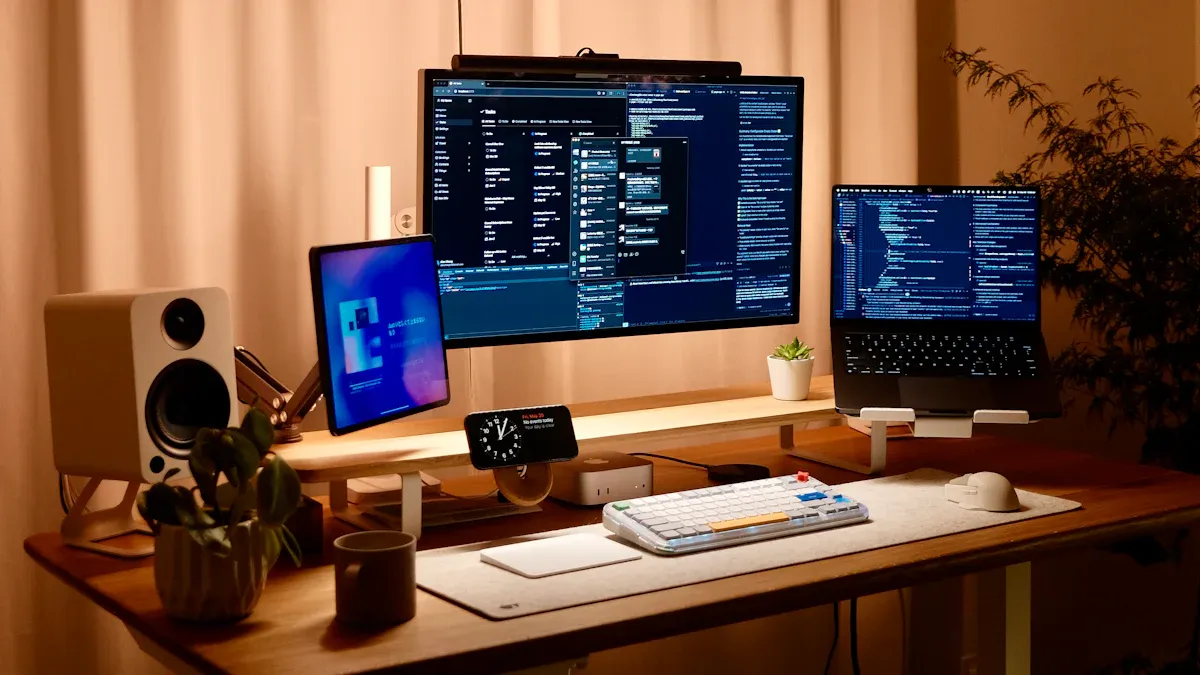
You can feel comfortable all day in your home office setup with a few easy changes. Ergonomics is important for how you feel and work every day. When you make your home office setup ergonomic, you help your body and mind. Studies show that ergonomic office furniture lowers pain and helps you get more done. Small things, like moving your chair or letting in sunlight, can really help your comfort. Your home office setup should let you move, focus, and feel good. With the right ergonomic home office setup, you make your space great for comfort and success.
Key Takeaways
-
Choose an ergonomic office chair that supports your body. Adjust the height so your feet rest flat on the floor and your thighs are parallel to the ground.
-
Switch between sitting and standing every 30 minutes. This helps improve blood flow, boosts energy, and reduces fatigue.
-
Organize your desk for easy access to items. Keep your keyboard and mouse close to avoid stretching, which can lead to discomfort.
-
Set your monitor at eye level and about an arm's length away. This reduces neck strain and helps maintain good posture.
-
Take microbreaks every 30 minutes. Stand, stretch, or walk around to keep your body relaxed and your mind focused.
The Foundation: Ergonomic Office Chair Setup
Choosing an Ergonomic Office Chair
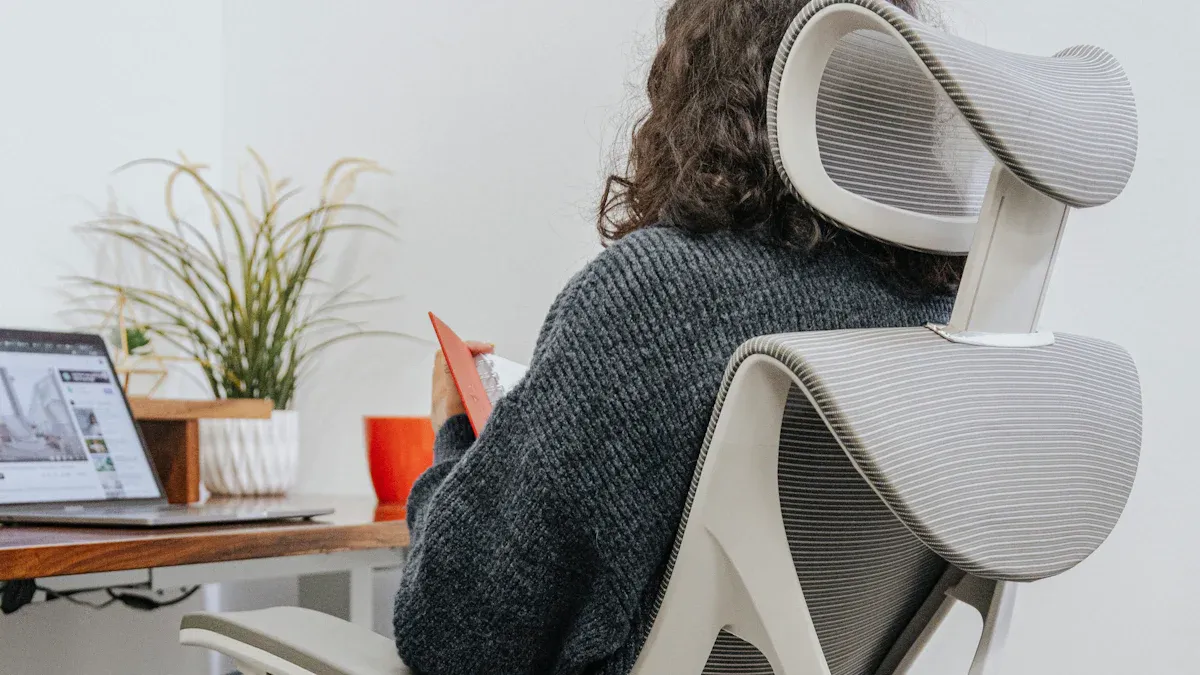
You need a strong foundation for your home office. The right ergonomic office chair makes a big difference in how you feel during the day. When you look for an ergonomic office chair, focus on features that support your body and help you stay comfortable. Here are the most important things to check:
-
Seat height: You should adjust the chair so your feet rest flat on the floor or a footrest. Your thighs need to stay parallel to the floor.
-
Seat pan depth: Make sure you have two or three fingers of space between the back of your knees and the edge of the chair. This helps you avoid pressure on your legs.
-
Backrest: The backrest should support your lower back. This keeps your spine in a healthy shape.
-
Armrests: The armrests must line up with your elbows. This keeps your shoulders relaxed.
-
Recline: Pick a chair that lets you move and change your posture. This reduces pressure on your spine.
Tip: A good ergonomic office chair uses breathable materials. This keeps you cool and comfortable, even when you sit for a long time.
You can see how different ergonomic products compare in the table below:
|
Feature |
Description |
|---|---|
|
Supports the natural curve of the spine, reducing strain on the lower back and preventing pain. |
|
|
Adjustable Seat Height |
Allows customization for optimal sitting position, promoting better posture and reducing discomfort. |
|
Breathable Materials |
Enhances comfort by preventing heat buildup, which can contribute to fatigue during long sitting periods. |
Read more: 10 Best Desk Chairs for Back Pain and Spinal Support Tips
Adjusting Chair Height and Depth
You need to set your chair to the right height and depth for the best comfort. Office ergonomics experts agree that your feet should rest flat on the floor. Your knees should bend at a right angle. Your thighs must stay parallel to the ground. This position helps you keep good posture and reduces stress on your legs.
|
Source |
Recommendation |
|---|---|
|
Creating an Ergonomic Workspace |
Adjust chair so feet are flat on the floor, knees at a right angle. |
|
How to Adjust an Ergonomic Office Chair |
Adjust chair so feet are flat on the floor, knees at a right angle. |
|
Office Ergonomics: Your How-to Guide |
Adjust chair so feet are flat on the floor, knees at a right angle. |
|
Ergonomic Adjustments to Reduce Pain at Work |
Adjust seat height so feet rest flat on the floor with thighs parallel to the ground. |
When you adjust the seat depth, leave one or two inches between your knees and the front edge of the chair. This keeps your legs comfortable and helps blood flow. If your chair is too high or too low, use a footrest or blocks to help your feet stay flat. You can also try a rocking footrest to keep your legs moving and healthy.
Supporting Spine and Posture
You need to support your spine to avoid pain and tiredness. The lumbar support feature in an ergonomic office chair helps your lower back keep its natural S-curve. This support lowers pressure on your spine and stops soreness at the end of the day. Studies show that ergonomic products with good back and lumbar support can prevent back pain and help you feel better after work.
Note: Adjustable lumbar support helps you fit the chair to your body. This keeps your back in a healthy position all day.
You should also adjust the armrests. Set them so your elbows rest at a 90-degree angle. This keeps your shoulders relaxed and your neck free from strain. When your arms have support, you avoid tension in your upper back.
Ergonomic Office Chair Recommendations
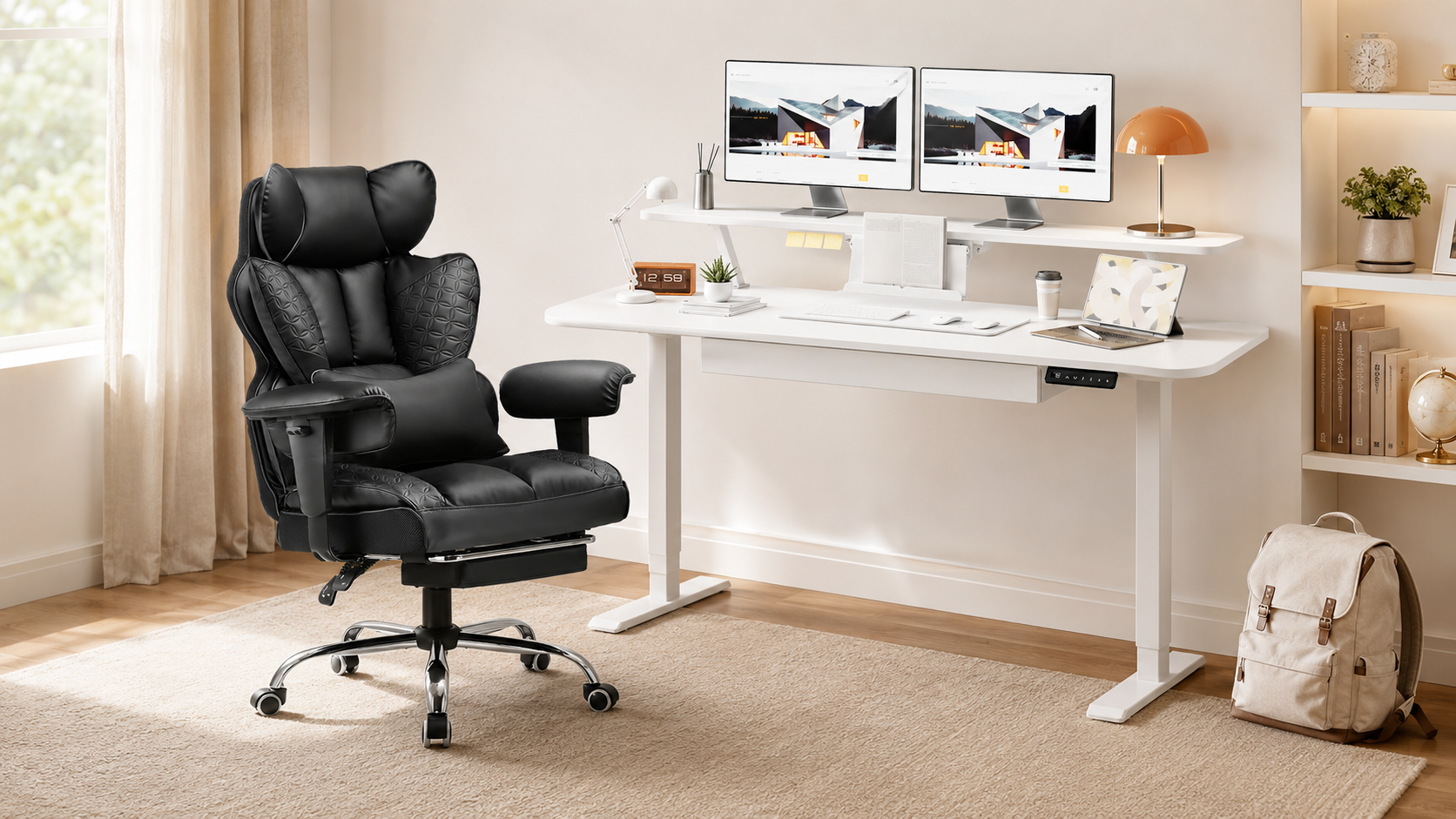
If you want a top choice for an ergonomic office chair, look at the COMHOMA Office Chair CH510. This chair works well for many people, especially if you need a big and tall option. It supports up to 400 lbs and fits users from 5’1” to 6’7”. The seat is wide and the backrest is extra large. You get adjustable armrests and a reclining backrest, so you can change your position during the day. The chair uses PU leather and memory foam for comfort. It also has an integrated footrest.
Here is a quick look at the features:
|
Feature/Aspect |
Details |
|---|---|
|
Seat Width |
23.62 inches, spacious for larger users |
|
Adjustable Armrests |
Yes, height-adjustable |
|
Reclining Backrest |
90°-150° reclining capability |
|
Footrest |
Integrated footrest for comfort |
|
Max Capacity |
400 lbs, suitable for users 5’1”–6’7” tall |
|
Material |
PU leather with memory foam fill |
|
Warranty |
1 year |
|
Pros |
SGS-certified, heavy-duty support, high adjustability, great durability |
|
Cons |
Minor assembly required, larger footprint may not fit smaller spaces |
The COMHOMA CH510 stands out for its comfort and price. It matches other big and tall ergonomic office chairs in weight capacity. It also gives you more space and support, which is important for all-day comfort. Many users like its adjustable features and strong back and lumbar support. If you want to improve your office ergonomics, this chair is a smart choice.
Browse COMHOMA’s executive office chair collection now!
Active Working: Desk and Standing Setup
Transitions between sitting and standing
Switching between sitting and standing helps you feel better at work. An ergonomic workstation with an adjustable desk keeps your body moving. Sitting too long can make you stiff and tired. Standing up lets your muscles relax and helps your blood move.
Here are some good things about changing between sitting and standing:
-
You help your heart by not sitting for too long.
-
You might stop weight gain and stay focused.
-
Moving and changing how you sit or stand is good for your health.
-
Your blood moves better, bringing more oxygen to your brain.
-
You boost your metabolism, which can stop obesity and type 2 diabetes.
-
You get more energy and feel less tired.
-
You feel happier and think more clearly.
-
You burn more calories and come up with more ideas than just sitting.
To get the most from your desk, change positions often. Experts say you should follow this schedule:
|
Age Group |
Sitting Duration |
Standing Duration |
Ratio |
|---|---|---|---|
|
Under 40 years |
30 minutes |
30 minutes |
1:1 |
|
Over 40 years |
36 minutes |
24 minutes |
3:2 |
Switching every 30 minutes can help you feel better and hurt less. You can use a timer or reminder app to help you remember to move.
Organizing Desk for Easy Reach
Setting up your desk the right way helps you work better and feel less tired. Keeping things close means you do not have to stretch or twist. This can stop injuries and help your posture.
-
Putting your desk items in order makes you work faster and feel better.
-
You lower your chance of getting hurt by moving less.
-
A clean desk helps you sit up straight.
-
You can pay attention to your work with fewer distractions.
-
These tips make your workspace more organized.
-
You help your posture and avoid injuries from doing the same thing over and over.
-
You get your work done faster.
Keep things you use a lot, like your keyboard, mouse, and notepad, close to you. Put your phone and other tools where you can reach them easily. Use trays or organizers to keep your desk neat. This helps you switch tasks quickly and keeps your body in a good position.
Ergonomic Office Desk Recommendations
Picking the right desk is important for a good workstation. An adjustable height desk lets you sit and stand when you want. The COMHOMA Standing Desk DTS118 is a great choice for an ergonomic desk.
This desk goes up and down with a button. You can save three heights, so it is easy to find the best spot for typing, writing, or gaming. The desk is steady, so your monitor and things do not fall when you change the height. The electric lift is quiet and smooth, so you can move the desk without trouble.
Here is what makes the COMHOMA DTS118 special:
-
The desk does not shake, even when you change from sitting to standing.
-
The electric lift lets you change the height easily.
-
You can save three heights for different things you do.
-
The desk keeps your monitor and other things safe when you move it.
When you set up your desk, make sure your elbows bend at a right angle. This helps your shoulders and wrists feel good. Your forearms should be flat with the floor. Here is what experts say about desk height:
|
Source |
Evidence |
|---|---|
|
Creating an Ergonomic Workspace |
A desk height that allows elbows to be at a 90-degree angle minimizes strain on shoulders and wrists. |
|
Office Ergonomics for IT Professionals |
The right desk height positions arms at a natural 90-degree angle, reducing strain. |
|
The Complete Guide to Creating a Productive and Ergonomic Home Office |
Desk height should allow elbows to rest at a 90-degree angle to improve posture. |
|
Workplace Ergonomics and Safety |
Maintaining desks at a height that keeps forearms parallel to the floor helps avoid wrist strain. |
If your desk is too high, use a footrest or blocks to keep your feet flat. If your desk is too low, raise your chair and use a footrest to help your legs. These small changes can make your desk setup much better.
A good ergonomic workstation with an adjustable desk helps you stay comfortable and get more done. By setting up your space and using an ergonomic desk, you help your health and make your workday easier.
Office Ergonomics for Monitor & Accessories
Monitor Placement at Eye Level
You can protect your eyes and neck by setting up your monitor the right way. Place the top edge of your screen at or just below your eye level. This position lets you look straight ahead and keeps your head in a natural spot. Keep your monitor about an arm’s length, or 20 to 30 inches, from your eyes. This distance helps you avoid squinting and stops you from leaning forward. When you use proper monitor placement, you reduce the need for head tilting and help your eyes stay comfortable. A slight downward gaze is best for your neck and vision.
-
Place the top of your monitor at or just below eye level.
-
Keep the monitor about 20 to 30 inches away from your eyes.
-
Align the screen so you look slightly down, not up or far to the side.
Improper monitor placement can cause strain on your neck, shoulders, wrists, and eyes. You may develop sore wrists and shoulders if you keep twisting or reaching. Research shows that correct monitor height and distance help you keep a healthy posture and lower the risk of musculoskeletal problems.
Keyboard and Mouse Positioning
You need to set your keyboard and mouse for an optimal ergonomic workspace. Place your keyboard directly in front of you and keep your mouse close by. Your wrists and forearms should stay parallel to the floor. Try to keep your wrists straight and avoid bending them up or down. Use a mouse pad that lets your hand move smoothly. Keep your upper arms close to your body and your hands at or just below elbow level. Support your forearms on the desk or chair armrests to reduce muscle load.
-
Keep wrists and forearms in a neutral position.
-
Place the keyboard and mouse at elbow height.
-
Avoid using the small feet on the keyboard to prevent wrist bending.
-
Use a light touch when typing and moving the mouse.
Preventing Wrist and Shoulder Strain
You can prevent pain by using an ergonomically designed workstation. Wrist rests help keep your wrists at the right height and firmness. They support your wrists without creating pressure points. Keeping your wrists straight and in a neutral line reduces stress and helps prevent numbness and pain. Choose a mouse that supports a neutral forearm posture. Take short breaks every hour and microbreaks every 20 minutes. These breaks help you avoid fatigue and discomfort.
|
Statistic |
Value |
|---|---|
|
24% to 54% |
|
|
Remote workers reporting worsening musculoskeletal pain |
61% |
|
Remote workers developing or worsening pain |
41% |
Proper office ergonomics and an ergonomically designed workstation help you avoid desk posture problems. Training on posture and microbreaks also lowers your risk of injury. You can keep working comfortably when you set up your space with ergonomics in mind.
Ergonomic Lighting and Environment
Natural and Artificial Light
You need good lighting to make your home office comfortable. Sunlight helps you feel happy and pay attention. It can also help you work better. Try to put your desk near a window if you can. This way, you get sunlight during the day. If you do not have enough sunlight, use bright lights that are not too strong. Desk lamps with arms you can move are good for close-up work.
|
Evidence Type |
Description |
|---|---|
|
Impact on Comfort |
Sunlight makes home offices more comfortable, which helps you focus and get more work done. |
|
Health Issues |
Bad lighting can cause tired eyes and headaches, making it harder to work. |
|
Mood Regulation |
Sunlight helps your body clock and makes you feel happier, so you can work better. |
Tip: Open your curtains in the daytime to let in more sunlight. This easy step helps you feel better and keeps your eyes from getting tired.
Reducing Glare and Eye Fatigue
You can stop your eyes from hurting by cutting down on glare. Glare from windows or screens makes it hard to see and can give you headaches. Put your monitor so windows are on the side, not in front or behind you. Use blinds or curtains to block too much sun. If you see shiny spots on your screen, try a matte screen cover. Desk lamps you can move help you shine light where you need it without making shadows.
-
Put screens sideways to windows to stop glare.
-
Use matte covers on screens if you need to.
-
Make sure your room is bright enough but not too bright.
Better lighting can help your eyes feel good and help you work longer. Good lighting keeps your eyes from getting tired. Try to make your screen as bright as the room. This stops your eyes from hurting and helps your workspace feel better.
Temperature and Air Quality
You need clean air and the right temperature for a good office. Fresh air helps you think better and gives you more energy. Bad air can give you headaches and make you feel sleepy. Clean air can help you work up to 15% better. Keep your room at a nice temperature. If it is too hot or cold, you might get a headache or feel tired. Try to keep the air dampness between 40% and 45% for healthy breathing.
-
Good air inside is important because it helps you stay healthy and think clearly.
-
Bad air can make you tired and not want to work, but clean air can help you work 10-15% better.
-
If it is too hot or cold, you can get headaches or feel sleepy, so keep the air dampness between 40% and 45% for easy breathing.
Note: Open a window or use an air cleaner to keep your air fresh. Change the heat or use a fan to stay comfy. These small steps help you feel better and keep your eyes from hurting.
Movement, Microbreaks, and Self-Care
30/30 Rule for Microbreaks
You can boost your well-being by following the 30/30 rule. This rule means you work for 30 minutes, then take a short break for 30 seconds. Stand up, stretch, or walk around your room. These microbreaks help your body recover from sitting. You give your eyes a rest and let your mind recharge. Regular breaks keep you alert and help you avoid feeling tired or stiff. Set a timer or use a reminder app to help you remember to move. When you take these small breaks, you support your well-being and keep your energy up all day.
Simple Desk Stretches
You can reduce muscle tension and improve your well-being with easy desk stretches. Try these simple moves during your microbreaks:
-
Roll your shoulders forward and backward a few times.
-
Stretch your arms above your head and reach for the ceiling.
-
Gently turn your neck from side to side.
-
Extend your legs and flex your feet.
-
Rotate your wrists and shake out your hands.
Focus on areas that get stiff, like your neck, shoulders, wrists, and lower back. These stretches only take a few minutes, but they help your blood flow and ease discomfort. Stand up and move often to keep your posture healthy and your muscles relaxed.
Staying Hydrated and Energized
Drinking water is key for your well-being and energy. Even mild dehydration can make it hard to focus or remember things. You need water to keep your brain working well and your mood steady. Here is how hydration helps you:
|
Key Findings |
Description |
|---|---|
|
Impact of Dehydration |
Mild dehydration (1-2% body weight loss) can impair cognitive functions such as attention, memory, and mood. |
|
Importance of Hydration |
Regular hydration is essential for maintaining energy levels and cognitive performance, especially for remote workers. |
|
Cognitive Performance Measures |
Cognitive performance includes attentiveness, critical thinking skills, and memory, all of which are affected by hydration levels. |
Keep a water bottle at your desk and sip throughout the day. This simple habit supports your well-being and helps you stay sharp and productive.
Frequently Asked Questions
How do I know if an ergonomic chair is suitable for a "Big and Tall" user?
You need to check the chair’s weight capacity and size. Look for a seat width that fits your body. The backrest should support your entire back. Many big and tall chairs list their height and weight limits. You can find this information in the product description or on the manufacturer’s website. Try to sit in the chair before buying if possible. You want to feel stable and comfortable. The COMHOMA CH510 supports up to 400 lbs and fits users from 5’1” to 6’7”. This chair helps you maintain good posture and reduces neck and back pain.
Tip: Measure your desk and workspace before choosing a chair. You want enough room to move and adjust your seat.
What is the ideal height for my standing desk?
You should set your standing desk so your elbows bend at a 90-degree angle. Your forearms need to stay parallel to the floor. The desk surface should match your elbow height. Most people find a height between 38 and 42 inches works well. You can use a tape measure to check your elbow height while standing. Adjustable desks like the COMHOMA DTS118 let you save your favorite heights. This helps you keep a healthy posture all day.
|
Height (inches) |
User Height (feet) |
|---|---|
|
38 |
5’2”–5’6” |
|
40 |
5’7”–6’0” |
|
42 |
6’1”–6’4” |
How can I prevent neck pain while working from home?
You can prevent neck pain by keeping your monitor at eye level. Place your screen about an arm’s length away. Adjust your chair and desk so you sit upright. Take microbreaks every 30 minutes. Stretch your neck and shoulders often. Good posture helps you avoid strain. You should also use a chair with proper back support. If you feel discomfort, check your workspace for any awkward positions.
Note: If you use a laptop, try a stand or external monitor to raise the screen.
How often should I switch between sitting and standing?
You should change positions every 30 minutes. Set a timer or use a reminder app. Standing and sitting both help your body. Moving often keeps your muscles relaxed and your blood flowing. You can follow the 30/30 rule: sit for 30 minutes, then stand for 30 minutes. This routine helps you maintain healthy posture and reduces fatigue.
-
Stand up and stretch every half hour.
-
Walk around your room during breaks.
-
Use an adjustable desk to make transitions easy.
You can make your home office comfy by picking ergonomic furniture. Adjust your workspace so you feel good. Move around often to stay healthy. Use a daily checklist to help you remember these habits.
-
Using ergonomic habits every day makes you feel better and work faster.
-
Taking microbreaks every 30–45 minutes keeps your body from getting stiff.
-
Keeping your workspace neat helps you think clearly and feel less stressed.
Occupational health studies show these habits help you in the long run:
|
Benefit |
Description |
|---|---|
|
You can pay attention longer and avoid distractions from pain. |
|
|
Improved Productivity |
You get more work done and feel less tired or interrupted. |
|
Enhanced Mood and Wellbeing |
A good workspace helps you feel happy and lowers stress. |
|
Reduced Risk of Injury |
You protect yourself from injuries that come from doing the same thing over and over. |
Put ergonomics first. You will feel happier, work better, and keep your body safe.
How do you know if your chair is truly ergonomic?
Look for adjustable features. You should change the seat height, backrest, and armrests. The chair must support your lower back. Try sitting in it. If you feel comfortable and your posture stays straight, you have an ergonomic chair.
What is the best way to set up your monitor?
-
Place the top of your screen at eye level.
-
Keep the monitor about an arm’s length away.
-
Tilt the screen slightly upward.
These steps help you avoid neck and eye strain.
Can you use a regular table as a desk?
|
Table Type |
Ergonomic? |
Why? |
|---|---|---|
|
Regular Table |
❌ |
Often too high or too low |
|
Adjustable Desk |
✅ |
Fits your body and posture |
You can use a regular table, but you may need a footrest or seat cushion.

Share:
What is the Recommended Office Chair Height for Comfort and Health
How to Choose Space-Saving Furniture for Small Living Rooms