
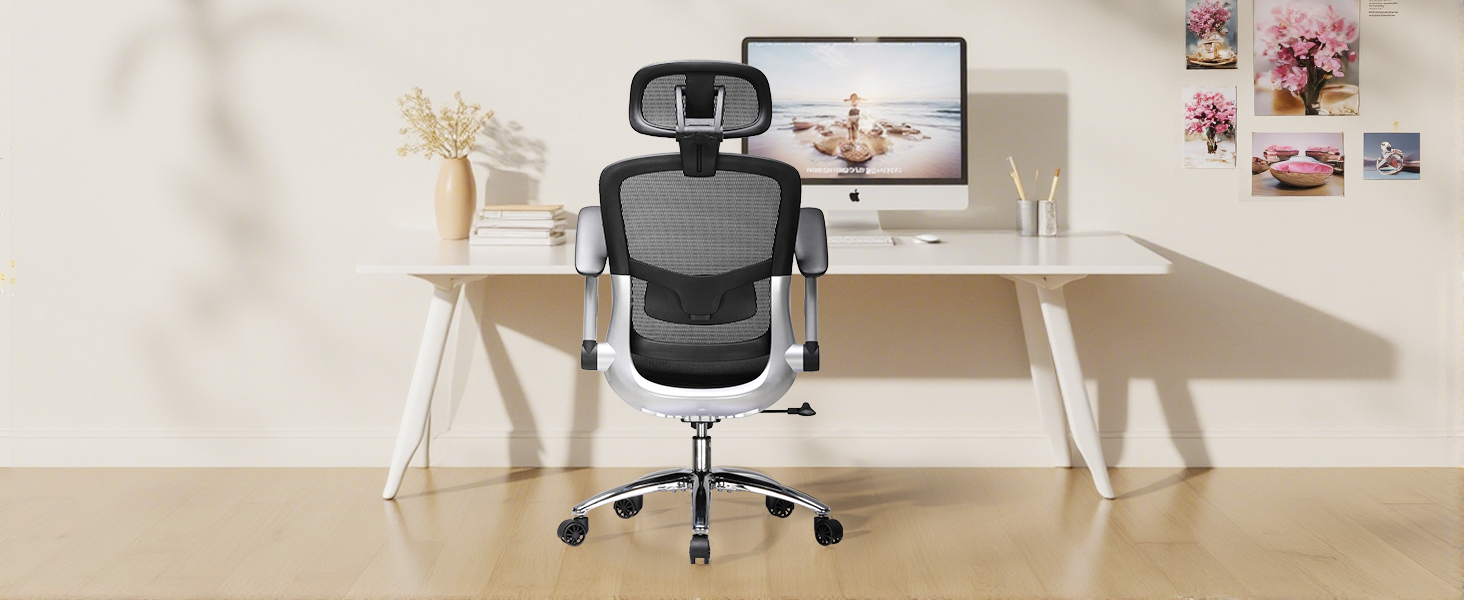
(Source: COMHOMA Office Chair CH405)
The anwser is:
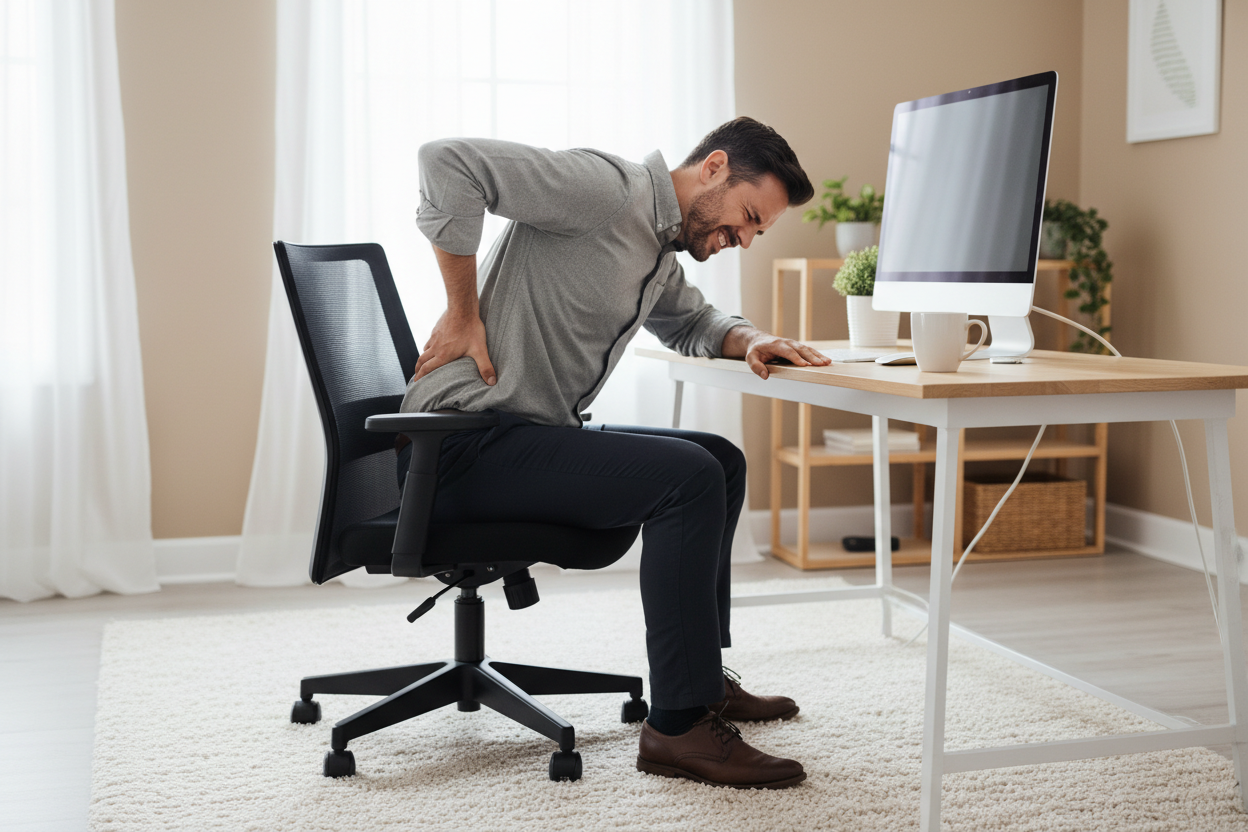
You need an ffice chair height between 16 and 21 inches. This range lets your feet rest flat on the floor and keeps your knees slightly lower than your hips. Proper chair height supports your back and improves comfort. Many workers feel discomfort because their chairs sit at the wrong height.
-
2% are too high
These mistakes cause strain and musculoskeletal issues.
|
Dimension |
Standard Range |
Key Purpose |
Adjustment Tips |
|---|---|---|---|
|
Seat Height |
Floor-to-seat alignment |
Pneumatic lever; knees at 90° |
Check your chair height and adjust it to feel better right away.
Key Takeaways
-
Set your office chair height between 16 and 21 inches for optimal comfort and health.
-
Adjust your chair so your feet rest flat on the floor and your knees are slightly lower than your hips.
-
Use a footrest if your chair is too high to maintain proper leg position and improve circulation.
-
Regularly check your chair and desk height to prevent discomfort and enhance productivity.
-
Choose a chair with good lumbar support to protect your back and promote healthy posture.
Ergonomic Benefits of Correct Chair Height
Posture and Health Impact
When you set your office chair to the right height, you make your workspace more comfortable. This helps you sit with good posture and keeps your spine healthy. Experts say that a seat height between 16 and 21 inches is best. This lets your feet stay flat on the floor. Your thighs stay straight, and your arms line up with your desk. Sitting like this helps your spine stay in the right shape and takes pressure off your back.
|
Feature |
Description |
|---|---|
|
Seat Height |
Should be adjustable, ideally between 16 to 21 inches, allowing feet to be flat on the floor. |
|
Proper Posture |
Ensures thighs are horizontal and arms are even with desk height, promoting spinal alignment. |
Dynamic lumbar support systems help stop disc problems and keep your spine’s natural S-shape. This is very important for keeping your muscles and bones healthy.
Studies show that office chairs with adjustable parts can help stop pain in your muscles and joints. You use your neck, shoulders, and back muscles less. Good lumbar support and the right seat height lower your chance of back pain and injuries from doing the same thing over and over. Health experts say that buying a chair made for comfort can help you stay healthy for a long time. You can stop pain and feel better by picking a chair that supports your body.
Risks of Incorrect Height
If your office chair is not the right height, you can have health problems:
-
Bad blood flow can make your legs numb or swollen.
-
You might get lower back pain from no lumbar support or bad posture.
-
Your neck and shoulders can hurt if armrests are too high or wide.
-
Poor blood flow can cause varicose veins or blood clots.
-
You may get eye strain if your chair and desk make it hard to see your screen.
-
Your shoulders can hurt if you reach too far to type.
-
Back pain can happen if you slouch or do not have lumbar support.
A study found that sitting in a chair at the wrong height makes it hard to work well. You lose focus and feel tired when you hurt. The American Chiropractic Association says back pain is a top reason people cannot work. Using an ergonomic chair with good lumbar support helps you avoid these problems and keeps your posture healthy.
Office Chair Height Standards
Standard Height Range
You need to know the standard range for office chair height to set up your workspace correctly. Most major health organizations recommend a seat height between 16 and 21 inches (40.6 to 53.3 cm). This range fits most people and lets you adjust the chair for your body. Modern office chairs usually have a lever that helps you change the height easily.
-
The seat height should let your feet rest flat on the floor.
-
Your thighs should stay parallel to the ground.
-
Your knees should bend at a 90-degree angle.
If you follow these rules, you can keep your body in a healthy position. You will feel less tired and avoid pain in your legs and back.
Here is a table that shows how different countries set their office chair height standards:
|
Country/Region |
Standard Desk Height (inches) |
Standard Chair Height (inches) |
|---|---|---|
|
US |
28 - 30 |
18 |
You can see that the standard office chair height in the US is 18 inches. Many other countries use a similar range.
How to Calculate Chair Height
You can find your ideal office chair height by following a few simple steps. This method works for most people and helps you get the correct chair height for comfort and health.
-
Sit back in your chair with your back touching the backrest.
-
Check the space between your knees and the front edge of the seat. You should fit about three fingers in this gap.
-
Adjust the chair height so your feet are flat on the floor. Your knees should be slightly lower than your hips.
-
Move the armrests so your elbows bend at about 90 degrees when you rest your forearms on them.
Tip: If you want to match your chair to your desk, subtract 10 inches from your desk height. For example, if your desk is 29 inches tall, your chair should be about 19 inches high.
You can also use your height to find a good starting point. Here is a quick reference chart:
|
User Height (inches) |
Recommended Chair Height (inches) |
|---|---|
|
5'0" – 5'3" |
16 – 17.5 |
|
5'4" – 5'7" |
17 – 18.5 |
|
5'8" – 5'11" |
18 – 20 |
|
6'0" – 6'3" |
19 – 21 |
|
6'4" and above |
20 – 21 |
You should use this chart as a guide. Always check how you feel when you sit. The best office chair height is the one that keeps you comfortable and supports your body all day.
International standards, like ISO 7173:2023, focus on the strength and durability of chairs. They do not set exact numbers for office chair height, but most manufacturers follow the 16 to 21-inch range.
When you set your chair to the correct chair height, you protect your health and make your workday easier. You can avoid pain and stay focused on your tasks.
Adjust Office Chair Height for Comfort
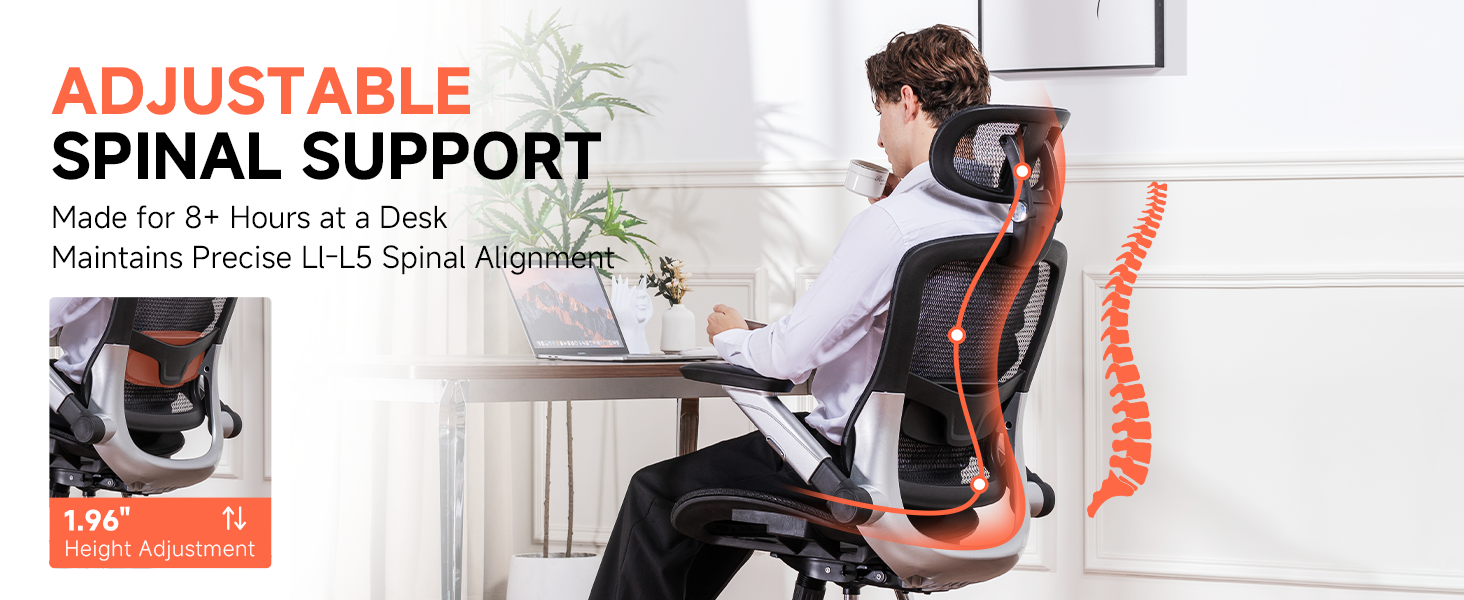
(Source: COMHOMA Office Chair CH405)
How to Measure Chair Height
You need to measure your office chair height correctly to achieve the best support. Start by placing your chair on a flat, level surface. Make sure the chair is not tilted or leaning. Follow these steps to measure the seat height:
-
Sit in the chair with your back against the backrest.
-
Place your feet flat on the floor.
-
Use a tape measure to check the distance from the floor to the center of the seat cushion, where your hips rest.
-
You can also measure from the floor to the top of the seat cushion at the front edge for a second reference.
-
If you want to know the overall chair height, set the chair to its maximum height and measure from the floor to the highest point.
You should always use the adjustable seat height feature to match your body’s needs. This helps you find the ideal chair height for your workspace. When you measure and adjust your chair, you support your back and legs and reduce the risk of discomfort.
Ideal Leg and Arm Position
You need to set your chair and body in a neutral body position for the best ergonomic benefit. The adjustable seat height lets you change the chair until your feet rest flat on the floor. Your thighs should be parallel to the ground or slope slightly downward. Your knees should form an angle between 90 and 120 degrees. This position keeps your legs relaxed and helps blood flow.
Your arms also need the right support. Adjust the armrests so your elbows form an angle between 90 and 120 degrees. Your wrists should stay straight and in line with your forearms. This setup prevents strain on your wrists and shoulders. If you notice that you lean on one armrest more than the other, check that both armrests are at the same height. Balanced armrests help you keep a straight spine and avoid muscle strain.
Proper ergonomic support at your workstation promotes comfort and long-term health throughout your professional day. Office chair armrests play a significant part in your overall posture and upper body alignment. Incorrect armrest positions often lead to subtle discomfort that can develop into more serious physical issues. You can identify the need for adjustments with attention to specific physical cues and equipment behavior. These signs that your office chair’s armrests need adjustment will help you maintain a healthy, productive work environment and achieve optimal performance. Your wrists should maintain a straight, neutral line relative to your forearms for proper ergonomics. Armrests that are too high or too low will force your wrists into awkward flexion or extension. This poor alignment places undue stress on the tendons and nerves within your wrists. A tendency to lean heavily on one armrest is one of the clear signs your office chair armrests need to be adjusted for support. This habit can create an imbalance in your spine and lead to one-sided muscle strain. Ensure both armrests are at the same height to encourage a balanced, upright posture.
You should also check your monitor height and distance. Your eyes should look straight ahead at the top third of your screen, and the monitor should be about an arm’s length away. This setup reduces neck strain and helps you keep a healthy posture.
Using a Footrest
Sometimes, even with an adjustable seat height, your feet may not reach the floor. In this case, a footrest can help you maintain the correct position. A footrest supports your feet and legs, making it easier to keep your knees at the right angle. Here are some tips for using a footrest:
-
Adjust the footrest height so your knees form about a 90-degree angle when you sit back in your chair.
-
Place the footrest where your feet naturally fall, usually just in front of your knees.
-
Start with a flat angle (0-10 degrees) and increase the angle if you find it more comfortable. Some people prefer a steeper angle for extra calf support.
-
Make sure your footrest works well with your chair settings for full-body comfort.
Adjustable footrests let you change both the height and angle. This feature helps you stay comfortable and supports different sitting positions during the day.
|
Benefit |
Description |
|---|---|
|
Prevents feet from dangling, allowing for comfortable resting throughout the day. |
|
|
Improves Circulation |
Reduces pressure on legs, enhancing blood flow and preventing issues like blood clots and varicose veins. |
|
Promotes Active Sitting |
Encourages movement while seated, reducing the health risks associated with prolonged sitting. |
|
Increase in Productivity |
Comfort and movement lead to higher productivity and fewer injuries, benefiting both employees and employers. |
You should use a footrest if your chair is too high and your feet cannot touch the floor. This simple tool can make a big difference in your comfort and health. Remember to check your adjustable seat height and footrest settings regularly to keep your body in the best position.
How to Choose the right Desk Height
Choose by Your Height
You need to match your desk height to your body for the best comfort. The ergonomic assessment tool lets you enter your height, including shoe height, to get a desk height that fits you. This helps you keep your elbows at a 90-degree angle and your shoulders relaxed. For most people between 5'4" and 6'0", a chair height of 17 to 19 inches works well. Taller people over 6'0" should use a chair height between 19 and 21 inches. Height-adjustable desks range from 22 to 48 inches, so you can find a setting that fits your needs.
Tip: If your elbows are not level with your desk while typing, adjust your desk or chair height until your arms rest comfortably.
Choose by Desk Height
You can also choose your desk height based on your current desk. Measure the distance from the floor to your elbows while sitting. Adjust your desk so it matches this measurement. Make sure your elbows stay at a 90-degree angle and your head lines up with your spine.
Common mistakes happen when you ignore desk height while setting office chair height. Here are signs your chair height is wrong:
-
Feet only touch the floor with your toes.
-
Knees sit higher or lower than your hips.
-
You feel back or shoulder pain.
-
You slouch or lean forward.
-
Your wrists bend while typing.
-
You shift positions often.
Quick fixes help you feel better:
-
Adjust your chair so your feet rest flat on the floor.
-
Change desk height so your elbows stay at a 90-degree angle.
-
Use a footrest if your chair is too high.
-
Move armrests to fit your body.
-
Check your monitor height to keep your head level.
You can prevent discomfort by checking your office chair height and desk height often. Small changes make a big difference in your health and productivity.
Changing your office chair height can help you feel better. Small adjustments stop pain and help you pay attention. Follow the steps in this guide to find the best chair height for you. Adjustable armrests and lumbar support are important features.
And the question is, which one to buy?
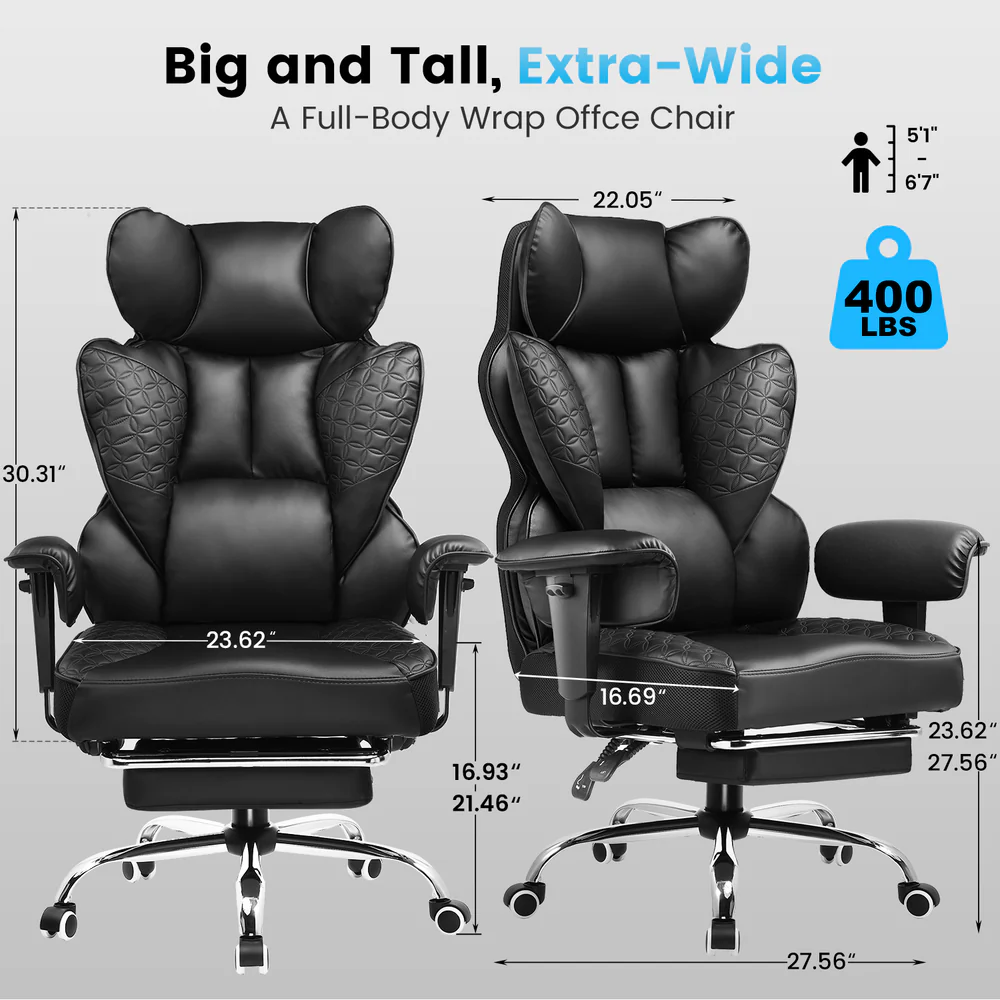
Here you are, the COMHOMA office chair ch510 features an adjustable height range from 16.93" to 21.46", working for people from 5'1" to 6'7". Within this height range, this is the most suitable chair for you.
If you want to view more office chairs, here is the link for you: https://comhoma.com/collections/ergonomic-office-chairs
FAQ
How do you know if your office chair height is correct?
You should sit with your feet flat on the floor. Your knees should stay slightly lower than your hips. Your back must touch the chair’s support. Your monitor should sit at eye level to keep your neck and back straight.
Why does my back hurt after sitting at my desk?
Your back may hurt if your office chair height is too low or too high. You might slouch or lean forward. Your monitor could be too high or too low. Adjust your chair and monitor to support your back and keep your posture healthy.
What is the best way to set up my monitor and chair?
Place your monitor directly in front of you. The top of your monitor should match your eye level. Adjust your office chair height so your back stays straight. Keep your arms relaxed. This setup helps your back and eyes feel comfortable.
Can a footrest help my back and legs?
A footrest can help if your feet do not touch the floor. It supports your legs and back. You should adjust your office chair height and use a footrest to keep your back straight. Your monitor should stay at the right height for your eyes.
How often should I check my office chair height and monitor position?
Check your office chair height and monitor position every week. Your back and neck will feel better if you make small changes. You should always keep your monitor at eye level and your back supported by the chair.

Share:
What is the Standard Office Chair Dimensions?
How to set up your home office for all-day comfort